spg138 Casino & Sportsbook Mobile App
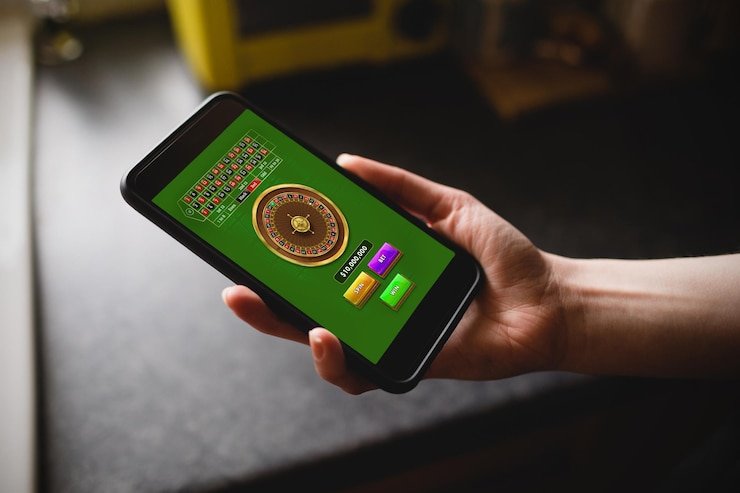
We at spg138 support Android APK download, iOS browser access, and a responsive web version so you can access Liga 1 sportsbook markets, live-dealer tables, slots, and esports betting from any device. Mobile-first design prioritises speed and low-data usage — push notifications alert you to live scores, bet settlements, and payment confirmations without requiring constant app refreshes.

- SHA256 Match
- LoginOTP Verification
- DownloadAPK
- Update
Our mobile platform lets you place bets on Indonesian football, Piala Indonesia, Piala AFF, Champions League, and international tournaments while live matches unfold. You manage your DANA, e-wallet, mobile banking, and bank-transfer deposits from your phone, monitor your balance in real time, and withdraw winnings directly to your chosen payment method. Account verification, KYC submission, and two-factor authentication all complete on mobile without switching to a desktop browser.
Installation varies by device. Android users download the APK directly from our platform; iOS users access spg138 via mobile Safari or add our web app to the home screen; web users log in through any desktop or mobile browser. All three paths connect to the same account balance and betting history.
spg138 Installation Paths: Android, iOS, and Web
We offer three ways to access spg138 on mobile. The Android native app (APK) downloads directly from our website — no Google Play Store intermediary — and installs with standard Android permissions. The iOS path uses mobile Safari or a home-screen shortcut; because iOS restricts app installation outside the App Store, we recommend the browser-based access. The web version works on any device and any browser, with no download required.
Each path accesses the same backend. Your account, balance, bet history, and payment methods sync across all three. You may log in to spg138 on your phone via Android app, switch to a tablet using the web version, and continue on desktop without re-entering credentials. Session management applies a thirty-minute timeout for security after inactivity.
Mobile app advantages
- Offline cache stores recent matches and odds.
- Push notifications alert you to live score updates and bet settlements.
- Faster load times on slower connections.
- One-tap access from your home screen.
Browser advantages
- No download or installation step.
- Works on any device or OS.
- Always up to date — no manual updates needed.
- No app permissions or storage space required.
Android APK Installation on spg138
Android users download the spg138 APK directly from our website. Before installation, enable "Unknown Sources" in your device settings — this permits installation of apps outside Google Play. The APK file is approximately 45 megabytes. Once downloaded, tap the file and follow the system prompts to install. We at spg138 sign the APK with a security certificate; your Android system verifies this signature before installation proceeds.
Permissions requested during install include internet access (required to connect to betting markets and live dealers), camera access (for KYC identity verification), and local storage (for offline cache and push notifications). You retain full control — deny any permission, and spg138 functions without that feature (though KYC verification requires camera or manual document upload). The app updates automatically when new versions are available, or you may check for updates manually in your app settings.
Android 7.0 and later are supported. Devices running Android 6.0 or older cannot install the current spg138 APK. If your device is incompatible, use our web version in mobile Safari or Chrome instead.
iOS Browser Access and Home-Screen Shortcut
iOS users (iPhone and iPad) access spg138 through mobile Safari or any compatible browser. We do not distribute a native iOS app via the App Store, as our service availability depends on jurisdiction. Instead, open Safari, navigate to spg138.id, and log in with your account credentials. Our responsive design adapts to any screen size — portrait or landscape, iPhone SE to iPad Pro.
For quick access, add spg138 to your home screen. In Safari, tap the Share button, select "Add to Home Screen," and confirm. spg138 then appears as an icon on your home screen like any native app. When tapped, it opens in full-screen mode without the Safari address bar, creating an app-like experience. Cookies and session data persist, so you remain logged in between visits.
iOS 12.0 and later are supported. iOS users cannot install a native app due to Apple's App Store restrictions on gambling services in certain regions. The browser-based access provides full functionality — place bets, deposit via OVO or e-wallet, settle live-dealer hands, and verify your account — without downloading an app.
App Versus Browser: When to Use Each on spg138
The spg138 Android app loads slightly faster than the browser on weak connections because offline cache stores recent Liga 1 match data, odds, and user interface elements. Push notifications deliver real-time alerts — a goal in a live match, a bet settlement, a payment confirmation — without requiring the app to be active. However, the browser version stays current automatically and requires no installation or storage space. Choose the Android app if you value speed and notifications; choose the browser if you want zero setup or access from multiple devices. Both offer identical betting markets, live-dealer tables, slots, and esports options.
Device Requirements and spg138 Compatibility
Our Android APK requires Android 7.0 (released 2016) or later. Most phones from 2017 onwards meet this requirement. iOS users need iOS 12.0 or later, which covers iPhone 5S and newer. We support portrait and landscape orientations. Tablets (Android or iPad) run the same code; the interface reflows for larger screens to maintain usability. Internet connection — mobile data or WiFi — is always required; we do not support offline betting.
Common Installation Issues and spg138 Troubleshooting
Android users who receive "Installation blocked" after tapping the APK file have not enabled Unknown Sources in their security settings. Go to Settings → Apps & Notifications → Special App Access → Install Unknown Apps, select your browser, and toggle the permission on. Then retry the download and install. Some Android versions use different menu names; search your settings for "Unknown Sources" if the path above does not match.
iOS users who see a blank screen after adding spg138 to the home screen should clear their browser cache. In Safari, tap Settings → Safari → Clear History and Website Data, confirm, then reopen the home-screen icon. This forces a fresh load of our interface. If you receive a certificate warning in Safari, do not proceed — the warning indicates a security issue; contact our support team. Legitimate spg138 connections display a locked padlock icon in the address bar.

Data Permissions and Account Security on spg138
We at spg138 request camera access during KYC verification so you can photograph your national ID or passport directly in the app. You may also upload images from your phone's gallery if you prefer. We do not use the camera for any other purpose. We request location permissions in the Android app for jurisdiction verification — we confirm that you are accessing spg138 from a location where our service is permitted. Location data is not stored; it is checked at login and then discarded. Internet permission allows communication with our servers for game information, bet placement, and payment processing. Storage permission enables offline cache and push notification scheduling.
Your account password is transmitted encrypted (TLS 1.3) to our servers; we do not log or display it. Session tokens expire after thirty minutes of inactivity, forcing re-login for security. We do not store payment card numbers on your device or our servers; payments are processed through our payment partners (mobile banking, local payment, online payment, bank transfers). Your account balance, bet history, and personal data are encrypted at rest. We comply with applicable privacy and data protection standards in the jurisdictions where we operate.
spg138 app essentials
- Download the Android APK from our website or use Safari on iOS.
- Enable Unknown Sources on Android before installation.
- Your account and balance sync across app and browser instantly.
- Push notifications alert you to live events and settlements.
- All three access paths (Android, iOS, web) connect to the same sportsbook, casino, and esports markets.
Access and Jurisdiction on spg138
We provide spg138 app access only where applicable law permits. You are responsible for verifying that your access complies with the laws of your own jurisdiction before downloading or logging in. We do not offer our service in regions where online gaming or sports betting are prohibited. If you access spg138 from a prohibited jurisdiction and are later discovered, we reserve the right to suspend your account and freeze your balance pending investigation. Our services are available only where local law permits.